How to Convert a 2D Image to 3D
Turn any photo into a downloadable 3D model in three simple steps no design skills needed.
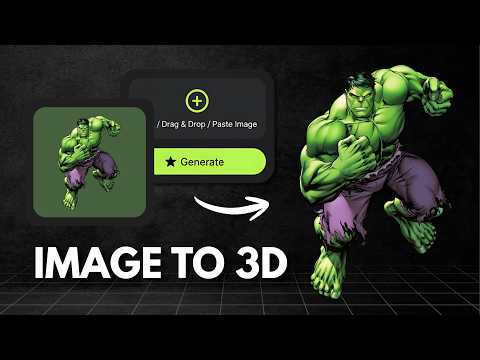
Upload Your Image
Upload any JPG, PNG or WEBP image. For best results use a clear subject with good lighting and a simple or transparent background.
AI Generates Your 3D Model
Our AI analyzes the depth, texture, and structure of your image and reconstructs it as a full 3D model in 30 to 60 seconds.
Preview & Download
Inspect your model in the interactive 3D viewer, then download it in GLB, STL or OBJ format ready for printing, games, or design.
Use Cases of Image to 3D
Discover how Image to 3D helps businesses, creators and developers turn ordinary photos into ready-to-use 3D models.
E-Commerce & Product Visualization
Turn a single product photo into an interactive 3D model shoppers can rotate and zoom, boosting engagement and reducing returns.
Game Development
Convert concept art, reference photos or sketches into ready-to-use 3D props and assets without manual modeling.
3D Printing & Prototyping
Snap a photo of an object or design idea and generate a printable mesh to bring physical prototypes to life faster.
Architecture & Interior Design
Turn photos of furniture, decor or building elements into 3D models for mockups, walkthroughs and client presentations.
Content Creators & Social Media
Transform everyday photos into eye-catching 3D content, spinning product shots and creative visuals for posts and reels.
AR & VR Experiences
Generate lightweight 3D assets from real-world images to populate AR filters, VR scenes and immersive apps.
Frequently Asked QuestionsFrequently
Asked
Questions
Upload any image, a product photo, a character sketch, or a real-world object. Our AI analyzes the depth, texture, and structure of the image and reconstructs it as a downloadable 3D model in GLB, STL, or OBJ format.
You can upload JPG, PNG and WEBP images. For best results, use images with a clear subject, good lighting, and a simple or transparent background.
Image to 3D typically takes 30 to 60 seconds depending on the complexity of the image. You can preview and download the model as soon as it is ready.
You can download your 3D models in GLB (for web and real-time use), STL (for 3D printing), and OBJ (compatible with most 3D software like Blender, Maya and Cinema 4D).
Each Image to 3D generation costs 10 credits. Credits are deducted only on a successful generation.
Yes, a free account is required to generate 3D models. You can sign in with Google or use a Magic Link sent to your email and no password needed.
Yes, Vega3D generates fully textured models with color baked directly onto the mesh, so your model looks like the original image right out of the box, no manual texturing required.
Yes, models you generate are yours to use in commercial projects, including games, products, marketing, and 3D printing, as long as the source image itself is one you have the rights to use.
Yes, once generated you can download the GLB or OBJ file and refine the mesh, retopologize, or adjust textures in software like Blender, Maya, or Cinema 4D.
Yes, Vega3D runs fully in the browser, so you can upload a photo and generate a 3D model from your phone or tablet without installing any app.